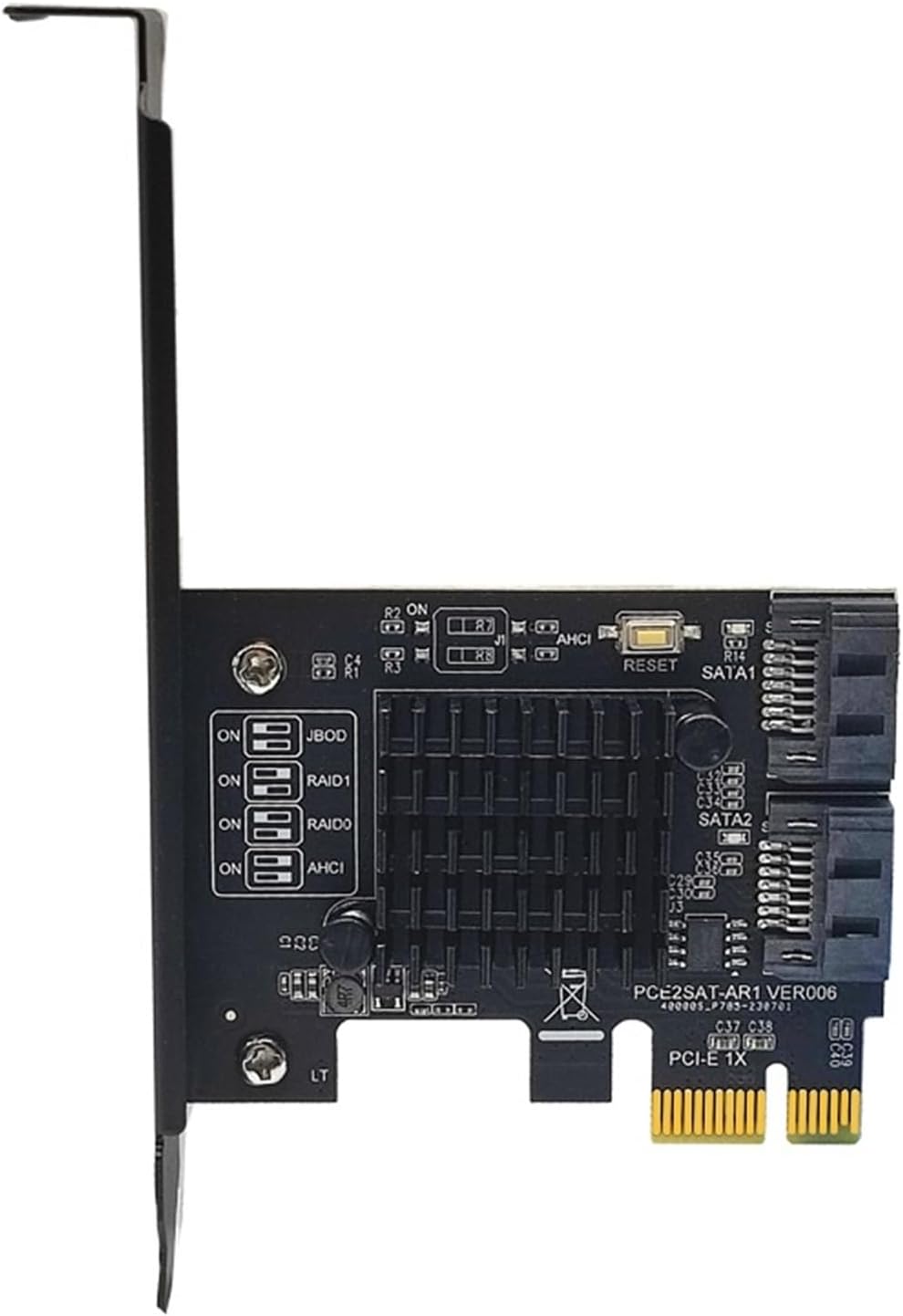
1061R Chip PCI Express X1 to 2 Port SATA3.0 6Gb Card for HDD SSD
Product details
| Management number | 250309073 | Release Date | 2026/09/17 | List Price | US$21.24 | Model Number | 250309073 | ||
|---|---|---|---|---|---|---|---|---|---|
| Category | |||||||||
Power AdaptersHardware Installation1. Tum off the power to your computer2. Unplug the power cord and remove your computer's cover3. Locate to an empty PCI Express x1,x4, x8, or x16 slot on the motherboard.4. To install the board, carefully align the card's bus connector with the selected PCI-E slot on the motherboard. Push the board down firmly.5. Attach your internal devices to the SATA3.0 Card6. Replace the slot bracket's holding screw to secure the card.7. Replace the computer cover and reconnect the power cord.Warning: AlI the data on the hard disks connected to the controller card will be permanently erased in the following actions.1. Turn on your computer, follow the prompt, and press Ctrl + R for the RAlD setup screen.2. Press Enter.3. Use keyboard arrow keys select "Create RAlD Model",and press Enter4. AIl Data will be lost, sure to process?(Y/N)5. Mode Change is completed6. Press ESC and Y to save and exit BIOS Setup.Delete ArrayMethod 1: 1. Turn on your computer, follow the prompt, and press Ctrl + R for the RAlD setup screen, Press Enter.2. Use keyboard arrow keys select "Remove RAlD "and press Enter3. AlI Data will be deleted, are you sure? (Y/N)4. Mode Change is completed5. Press ESC"Leave Configure controller? (Y/N)", select Y6. Press ESC"Leave Manager? (Y/N)", select YMethod 2:After entering the system or scanning hard disk information, hold down the RESET switch on the card for 3 seconds. Then the indicator on the card will blink twice, indicating that the are deleted.Note: If the card has a group, you must follow the procedure described in Deleting to delete before replacing the hard disk. If you do not delete it, the hard drive will appear unrecognized.Note:1. The SATA3.0 PCI-E card must be installed in the PCI-E slot of the motherboard, and must not be inserted into the PCI slot. 2. The fastest speed is 380-450m/s in PCI-E 2.0 . If it is plugged into PCI-E1.0, the speed only runs 200-300m/s. Different computer 3. configurations and ssd have different speeds. If all ports are used at the same time, the speed will slow down.4. We recommend to use this 3.0 Card in PCIE2.0 or 3.0 slot, so as to get the fastest speed.5. Be sure to turn off the power of the computer before inserting or removing the card, and then insert the card to avoid damage to the motherboard or expansion card.6. The drives that this product need is included in systerms.You'll receive:1 x SATA3.0 PCI-Express Controller Card1 x Low Profile BracketModel Number : AC5630Type : Hard Drive Adapters
- Power Adapters
- You'll receive:
- 1 x SATA3.0 PCI-Express Controller Card
- 1 x Low Profile Bracket
- Model Number : AC5630
- Type : Hard Drive Adapters
| ASIN | B0HHWQRBHN |
|---|---|
| Brand | YVJOEJZQGL |
| Color | 2 Port SATA Raid |
| Model Name | YVJOEJZQGL |
| Unit Count | 1 Count |
| Manufacturer | YVJOEJZQGL |
| Model Number | YVJOEJZQGL |
| Input Voltage | 1 Kilovolts |
| Connector Type | 2-Pin |
| Output Current | 1 A |
| Output Voltage | 1 Kilovolts |
| Mfr Part Number | YVJOEJZQGL |
| Number of Items | 1 |
| Special Features | Anti Slip |
| Compatible Devices | AC-DC Converters |
Bestseller ranking
SCSI Port Cards




Customers who viewed this product also viewed
Plush Toys


Correction of product information
If you notice any omissions or errors in the product information on this page, please use the correction request form below.
Correction Request Form